A DesignLab course
AI for UX Design

In 2021, the conversational AI startup I helped build in Google’s startup incubator graduated into Google’s Business Messaging division. By 2025, the AI landscape was unrecognizable.
I realized I could watch the next wave unfold or jump back in and learn by doing. I chose the latter.
ROLE
Product Designer
TEAM
Solo
TIMELINE
4 weeks
TOOLS
ChatGPT, Perplexity, Figma Make, Stitch, Uizard, Magic Patterns, Gamma
COURSE
AI for UX Design | Designlab
DATE
September 2025
LAUNCH
n/a - coursework
DELIVERABLES
Research synthesis
Personas + bias audits
Product definition
Wireframes + prototypes
Brand voice + microcopy
Usability testing
Firsthand Fluency
I enrolled in Designlab’s four-week AI for UX Design course, which combined intensive instruction with hands-on application. Using their FitFuel brief as a testing ground, I worked through an end-to-end product process with AI incorporated throughout.
My goal was to build firsthand fluency: testing different tools across research, design, prototyping, testing, and launch planning; comparing their strengths and limitations; and understanding where AI could meaningfully complement my existing design process.
What was covered
Week 1
Brand identity
Persona development
Bias auditing
Ethical AI
Reflection on workflow + professional applications
Week 2
Brand + AI Evaluation
Market landscape
User research
Inclusive personas
Bias mitigation
AI research practices
Feature opportunities.
Week 3
Research + Opportunity Definition
Prototyping + Testing
Launch + Business Application
MVP definition
AI-assisted UI/UX
Prototyping across multiple tools
Brand voice + microcopy
Usability testing
Iteration
Ethical review.
Week 4
Investor pitch
Go-to-market strategy
Campaign materials
Post-launch planning
Ethical + legal review
Efficiency analysis
Reflection
Honing AI Discernment
As the experimentation progressed, the differences between tools became increasingly clear. Some accelerated the work considerably, while others opened up new ways to explore ideas, evaluate decisions, or move from concept to something tangible.
Just as important was learning where AI fell short. The quality of the outcome depended on choosing the right tool, providing the right context, and knowing how to evaluate what came back. The goal became less about using AI and more about knowing when, where, and how to use it well.
Bias Awareness
Bias awareness was incorporated from the first prompts, followed by an AI-assisted audit of the personas developed during the project. Rather than accepting its recommendations at face value, I evaluated each suggestion, deciding what strengthened the work, what needed further consideration, and what I disagreed with.
AI could help surface potential blind spots and help explore inclusive design opportunities. It was still my responsibility to decide what warranted action.
Comparing Prototyping
Tools
Testing Uizard, Stitch, Figma Make, and Magic Patterns against similar design needs revealed meaningful differences in how each supported the work. Each offered something different: rapid generation, visual exploration, flow validation, or greater functionality.
One unexpected lesson was that higher fidelity didn't always mean greater progress. A polished interface could actually make it harder to reconsider the underlying flow while it was still being explored.
Uizard
Fast, but not useful enough
The initial output didn't give me enough to build on, and refining it would have taken more time than moving to another tool.
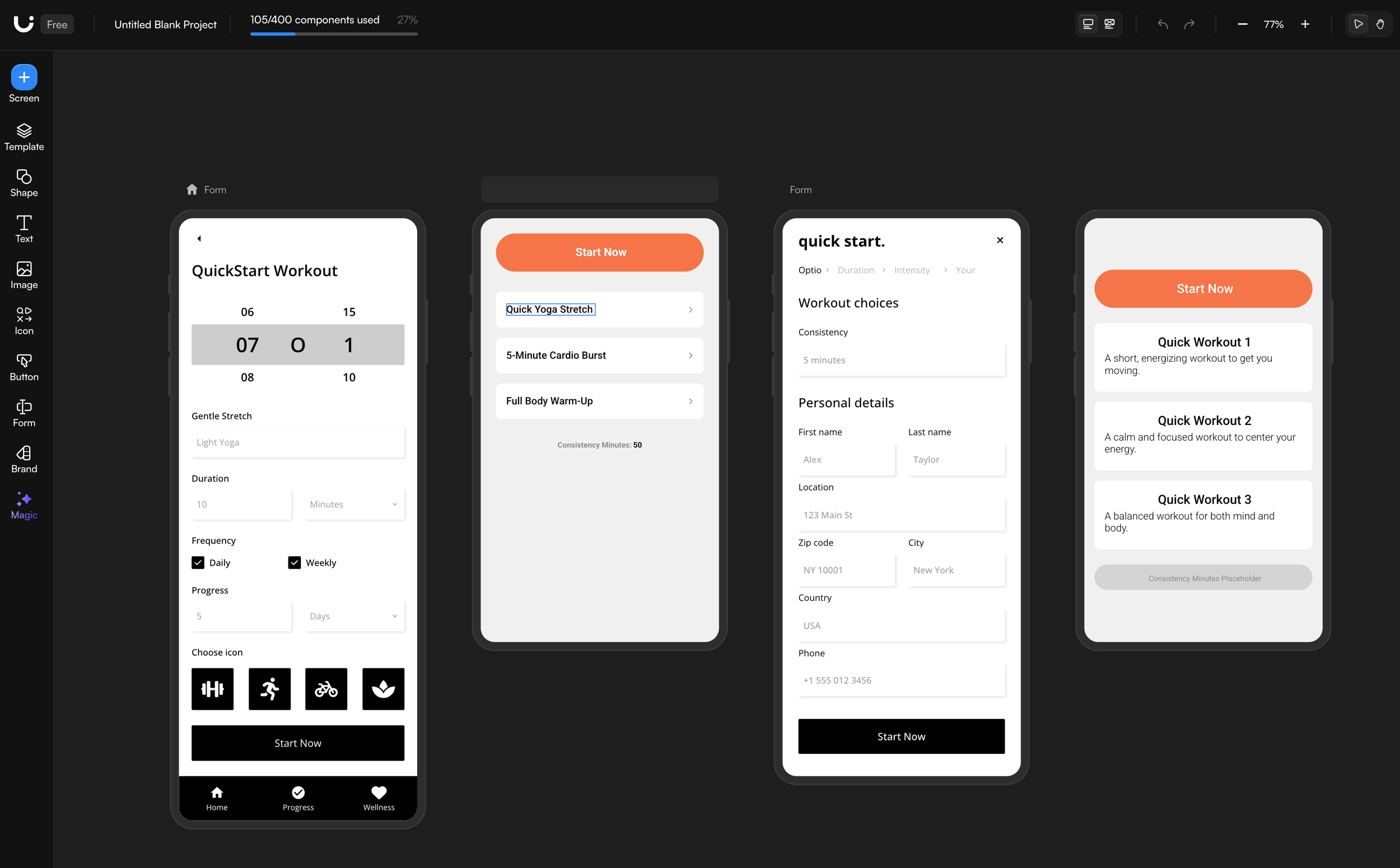
Stitch
Better for visual exploration
Stitch produced more interesting directions and helped me explore the flow quickly, even when individual UI elements still needed refinement.
Figma Make
More functional, less flexible
Figma Make produced something that looked high fidelity quickly, but the underlying file lacked thoughtful structure. Poorly organized layers and improperly sized frames ultimately created more work.
Magic Patterns
More functional and expandable
Magic Patterns made it easier to expand the concept into a more complete, interactive experience while continuing to refine the functionality.
Play with an early Magic Patterns prototype!
Prompting with Intention
The quality of AI output depended heavily on the quality of the input. Effective prompting meant providing context, setting constraints, communicating standards, and refining direction along the way.
The more clearly I could articulate what I was trying to accomplish and why, the more useful the tools became. Prompting wasn't separate from the design thinking. It required making that thinking explicit.
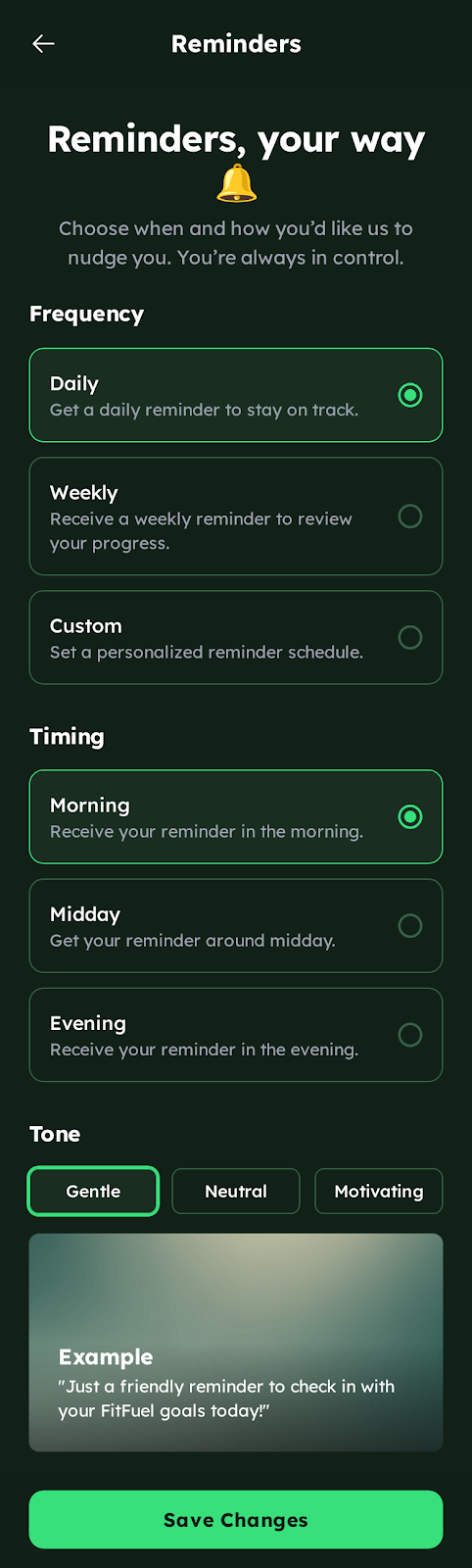
Which later showed up in the Stitch prototype with tone examples and user preferences.
Scratching the Surface
I learned a tremendous amount in four weeks about the strengths and gaps of the AI tooling market. I also left feeling like I had barely scratched the surface.
That was kind of the point. I jumped back in, got my hands dirty, and came away with more informed questions about where AI fits into my work and a lot more curiosity about what comes next.
Work it. (aka Case Studies)
-
![]()
Holistico
Connecting eco-friendly consumers with businesses —recommendations, rewards, events and a supportive community.
-
![]()
Fitmate
An all-in-one business platform for independent fitness trainers.
-
![]()
AdLingo @ Google
Display ads transformed into conversational brand portals.